MIKE OPERATIONS (Operator UI)
File: DHI.Services.Provider.MC.Operations.dll
Introduction
MIKE OPERATIONS Web Classic is a truly generic website able to display configurations made using MIKE OPERATIONS Desktop.
This means that changes to configurations in MIKE OPERATIONS Desktop, will be available in MIKE OPERATIONS Web as the changes are made.
The MIKE OPERATIONS Web is using the MO Web API extensively to get information about configurations made with MIKE OPERATIONS Desktop.
Connections
When using the MIKE OPERATIONS Web API, the following connections should be available in the connection.json file found in the App_Data folder.
{
    "$type": "System.Collections.Generic.Dictionary`2[[System.String, mscorlib],[DHI.Services.IConnection, DHI.Services]], mscorlib",
    "mo-timestep": {
        "$type": "DHI.Services.TimeSteps.Web.TimeStepServiceConnection, DHI.Services.TimeSteps.Web",
        "ConnectionString": "runtimeconfig=OperationsWeb;host=localhost;port=5432;database=Sava75",
        "ServerType": "DHI.Services.Provider.MC.Operations.TimeStepServer, DHI.Services.Provider.MC.Operations",
        "Name": "MIKE OPERATIONS timestep connection",
        "Id": "mo-timestep"
    },
    "mo-gis": {
        "$type": "DHI.Services.GIS.Web.GisServiceConnection, DHI.Services.GIS.Web",
        "ConnectionString": "runtimeconfig=OperationsWeb;host=localhost;port=5432;database=Sava75",
        "RepositoryType": "DHI.Services.Provider.MC.Operations.FeatureCollectionRepository, DHI.Services.Provider.MC.Operations",
        "Name": "MIKE OPERATIONS gis connection",
        "Id": "mo-gis"
    },
    "mo-timeseries": {
        "$type": "DHI.Services.TimeSeries.Web.GroupedDiscreteTimeSeriesServiceConnection, DHI.Services.TimeSeries.Web",
        "ConnectionString": "runtimeconfig=OperationsWeb;host=localhost;port=5432;database=Sava75",
        "RepositoryType": "DHI.Services.Provider.MC.Operations.TimeSeriesRepository, DHI.Services.Provider.MC.Operations",
        "Name": "MIKE OPERATIONS time series connection",
        "Id": "mo-timeseries"
    },
    "mo-doc": {
        "$type": "DHI.Services.Documents.Web.DocumentServiceConnection, DHI.Services.Documents.Web",
        "ConnectionString": "runtimeconfig=OperationsWeb;host=localhost;port=5432;database=Sava75",
        "RepositoryType": "DHI.Services.Provider.MC.Operations.DocumentRepository, DHI.Services.Provider.MC.Operations",
        "Name": "MIKE OPERATIONS document connection",
        "Id": "mo-doc"
    },
The MIKE OPERATIONS Web API provides web access to MIKE OPERATIONS Configurations made with the Operator UI.
The following information in MIKE OPERATIONS configurations can be accessed:
- Feature Types
- Observation Periods
- Themes
- Filter Groups
- Units
- Time Series
- Jobs
- Documents
Time Step Repository
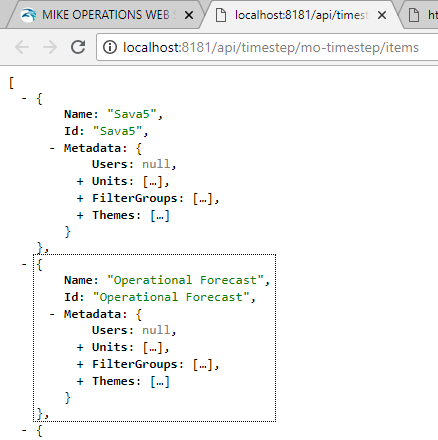
Items
Get list of all configurations with information about Feature Type ids, Users, Units, FilterGroups, Themes, and observation periods by theme.
Every theme have its own list of associated items. Every item can be associated to none, one or more themes.
- Feature Types
Layers on the map (feature classes, raster, dfs2 and dfsu files) - Observation Periods
Defines the period to observe. - Summary Views
Calculated station data. - Job Views
Jobs to execute a view status for. - Documents
Documents available for the theme.
To get information about items, use the following API call, where localhost:8181 is the name of the website.
http://localhost:8181/api/timestep/mo-timestep/items
Specifying the configuration
When getting information about a configuration, the call to the MO Web API must contain information about the configuration, theme and observation period highlighted in red below.
http://localhost:8181/api/timestep/mo-timestep/ConfigurationName=Sava5;ThemeId=;ObservationPeriod=OBS1;ObservationPeriodOffset=c152ad1f-ad66-41ea-932c-5aa07bd80832;Type=FeatureTypeInfo;Id=FT1$FT2$FT3$FT4$FT5$FT6$FT7$FT8$FT9$FT10/data/2000-01-01T000000
- ConfigurationName
The name of the configuration as specified in the “/Real time configurations/Real time configurations” spreadsheet of the MO database. - ThemeId
The id of the Theme to display. - ObservationPeriod
The id of the observation period. - ObservationPeriodOffset
The observation period offset depending on the observation period type. - EntireForecastPeriod – Id (guid) of the simulation to use as offset.
- RelativeToToF – Id (guid) of the simulation to use as offset.
- RelativeToDateTime – Date and time in the format
yyyy-MM-ddThhmmss. - FixedDates - Use empty date as it is not used e.g.
2000-01-01T000000. - RelativeToNow - Use empty date as it is not used e.g.
2000-01-01T000000.
TimeStepServer
Calls to the timestep server requires that the request types is specified using the Type argument.
The following types of calls can be made.
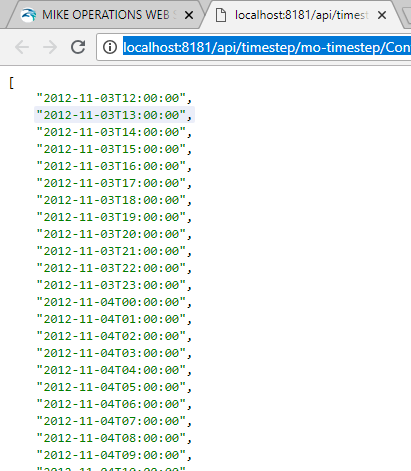
Timesteps
Returns a list of time steps in the specified observation period.
http://localhost:8181/api/timestep/mo-timestep/ConfigurationName=Sava5;ThemeId=;ObservationPeriod=OBS1;ObservationPeriodOffset=c152ad1f-ad66-41ea-932c-5aa07bd80832;Type=TimeSteps/data/2000-01-01T000000
Summaryview
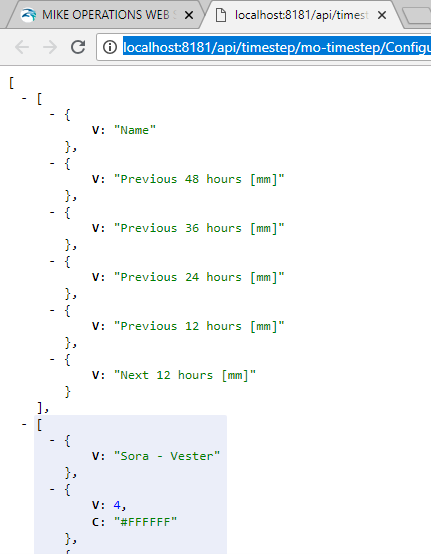
Returns summary views as configured in MO desktop. The URL must contain the id of the summary view to get.
http://localhost:8181/api/timestep/mo-timestep/ConfigurationName=Sava5;ThemeId=;ObservationPeriod=OBS1;ObservationPeriodOffset=c152ad1f-ad66-41ea-932c-5aa07bd80832;Id=CatchSum1;Type=SummaryView/data/2000-01-01T000000
Theme
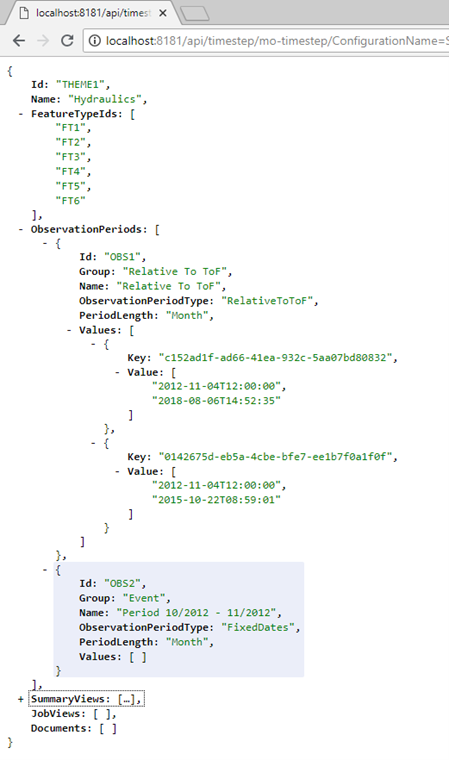
Gets information about what features types, observation periods etc are part of a specified theme in the specified configuration.
The theme contains information about:
- Theme Id and name.
- Feature type ids in a theme.
- Observation periods in the theme.
- Summary Views in a theme.
- Job views in a theme.
- Documents in a theme.
http://localhost:8181/api/timestep/mo-timestep/ConfigurationName=Sava5;ThemeId=;ObservationPeriod=OBS1;ObservationPeriodOffset=c152ad1f-ad66-41ea-932c-5aa07bd80832;Id=THEME1;Type=theme/data/2000-01-01T000000
Observationperiod
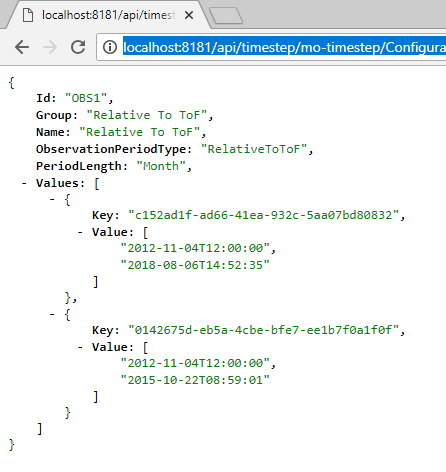
Returns information about an observation period.
http://localhost:8181/api/timestep/mo-timestep/ConfigurationName=Sava5;ThemeId=;ObservationPeriod=OBS1;ObservationPeriodOffset=c152ad1f-ad66-41ea-932c-5aa07bd80832;Id=OBS1;Type=observationperiod/data/2000-01-01T000000
Featuretype
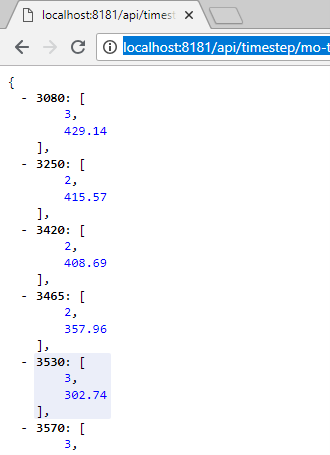
Returns a list of all items (station ids) with warning level index (threshold) and value on a feature type on the specified theme.
http://localhost:8181/api/timestep/mo-timestep/ConfigurationName=Sava5;ThemeId=;ObservationPeriod=OBS1;ObservationPeriodOffset=c152ad1f-ad66-41ea-932c-5aa07bd80832;Id=FT1;Type=featuretype/data/2000-01-01T000000
Featuretypeinfo
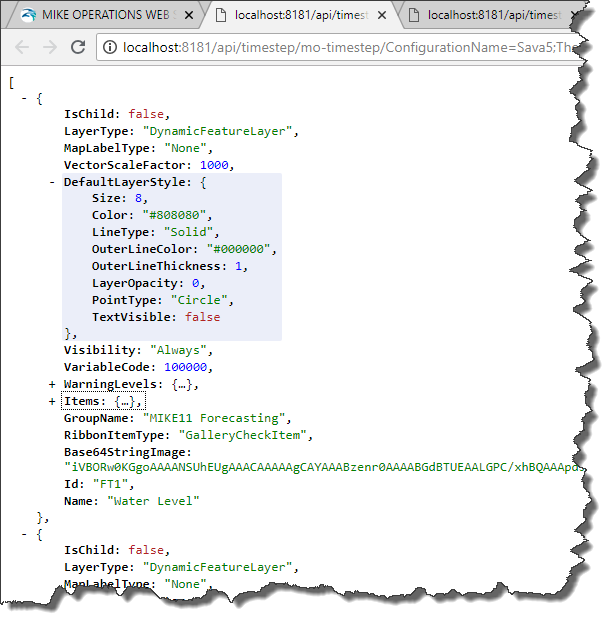
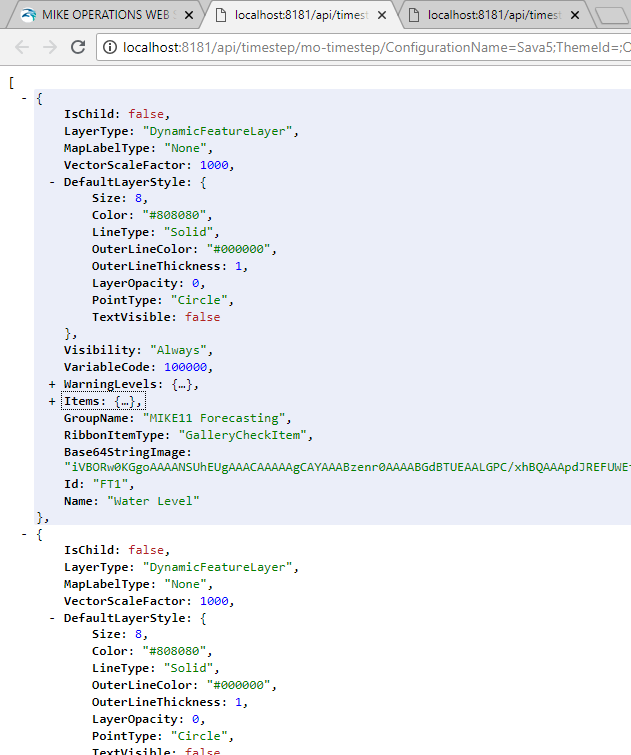
Gets information about feature types in the specified theme. The URL should contain a list ids of feature types to get information for.
The information includes:
- Items
Stations on the feature type (id, name and variable).
- Warning Levels
Warning levels of the station (for the threshold time series of the feature type), including images, symbol
- Ribbon information
Information on how the feature type is displayed in the ribbon, and the image of the feature type.
The sample URL below, does not specify a theme, hence information about all feature types is returned.
http://localhost:8181/api/timestep/mo-timestep/ConfigurationName=Sava5;ThemeId=;ObservationPeriod=OBS1;ObservationPeriodOffset=c152ad1f-ad66-41ea-932c-5aa07bd80832;Type=FeatureTypeInfo;Id=FT1$FT2$FT3$FT4$FT5$FT6$FT7$FT8$FT9$FT10/data/2000-01-01T000000
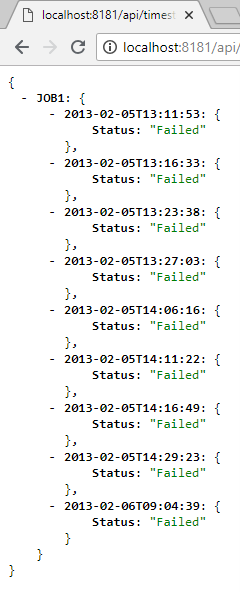
Jobinstancelist
Returns information about one or more jobs with the specified ids, separated by $.
http://localhost:8181/api/timestep/mo-timestep/ConfigurationName=Sava5;ThemeId=;ObservationPeriod=OBS1;ObservationPeriodOffset=c152ad1f-ad66-41ea-932c-5aa07bd80832;id=JOB1$JOB2;Type=Jobinstancelist/data/2000-01-01T000000
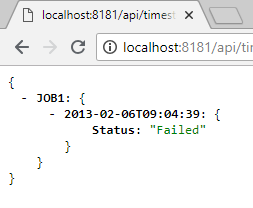
Jobinstancelast
Returns information about the latest job instance on one or more jobs with the specified id’s, separated by $.
http://localhost:8181/api/timestep/mo-timestep/ConfigurationName=Sava5;ThemeId=;ObservationPeriod=OBS1;ObservationPeriodOffset=c152ad1f-ad66-41ea-932c-5aa07bd80832;id=JOB1$JOB2;Type=Jobinstancelast/data/2000-01-01T000000
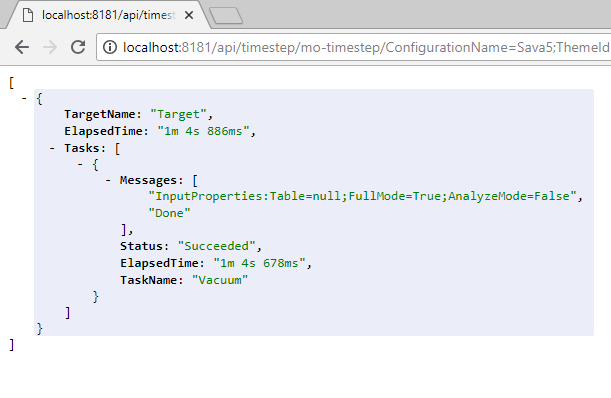
Jobinstance
Returns information about the specified job instance with the specified date time.
Specify the Execution date and time of the job instance to get.
http://localhost:8181/api/timestep/mo-timestep/ConfigurationName=Sava5;ThemeId=;ObservationPeriod=OBS1;ObservationPeriodOffset=c152ad1f-ad66-41ea-932c-5aa07bd80832;id=JOB2;Type=Jobinstance/data/2018-07-09T130954
Jobexecute
Executes a job with a specified id.
http://localhost:8181/api/timestep/mo-timestep/ConfigurationName=Sava5;ThemeId=;ObservationPeriod=OBS1;ObservationPeriodOffset=c152ad1f-ad66-41ea-932c-5aa07bd80832;id=JOB2;Type=jobexecute/data/2000-01-01T000000
The call should take the parameters of the job as Request Header (see sample below).
executeJob: function (e) {
    var parameters = this.currentJob.items;
    for (var i = 0; i < parameters.length; i++) {
        if (parameters[i].IsList)
            parameters[i].items = null;
    }
    this.$.jobExecuteAjax.url = this.configuration.apiUrl + '/api/timestep/' + this.configuration.connections.TimeStep + '/' + this.getId() + ';Type=jobexecute;Id=' + this.currentJob.id + '/data/2000-01-01T000000';
    this.$.jobExecuteAjax.headers['MO-data'] = JSON.stringify(parameters);
    this.$.jobExecuteAjax.generateRequest();
},
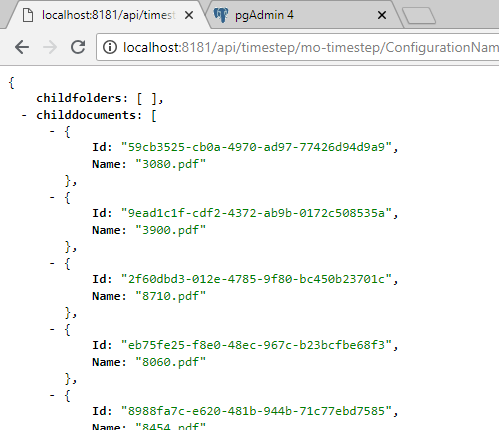
Documentfolderinfo
Returns child folders and child documents of a document folder.
The URL should contain the id (Guid) of the document folder in the Document Manager. The id can be found getting the theme information (request type theme).
http://localhost:8181/api/timestep/mo-timestep/ConfigurationName=Sava5;ThemeId=;ObservationPeriod=OBS1;ObservationPeriodOffset=c152ad1f-ad66-41ea-932c-5aa07bd80832;id=915ba788-1e85-468b-a691-4eff6bc57c2d;Type=documentfolderinfo/data/2000-01-01T000000
FeatureTypeInfo
Get information about one or more feature types including warning levels and items.
http://localhost:8181/api/timestep/mo-timestep/ConfigurationName=Sava5;ThemeId=;ObservationPeriod=OBS1;ObservationPeriodOffset=c152ad1f-ad66-41ea-932c-5aa07bd80832;Type=FeatureTypeInfo;Id=FT1$FT2$FT3$FT4$FT5$FT6$FT7$FT8$FT9$FT10/data/2000-01-01T000000