MIKE Workbench
File: DHI.Services.Provider.MC.dll
From MIKE OPERATIONS, NuGet packages for accessing MIKE WORKBENCH, are published on the DHI NuGet server: http://dhi-nuget-server.azurewebsites.net/nuget
The following packages are published:
- DHI.Services.MC.Core
Core functionality containing connection information. - DHI.Services.MC.Documents
Access documents in the document manager of MIKE WORKBENCH. - DHI.Services.MC.GIS
Access GIS data in the GIS manager of MIKE WORKBENCH. - DHI.Services.MC.Jobs
Access and run jobs in the job manager of MIKE WORKBENCH. - DHI.Services.MC.Models
Access and run models, scenarios and simulations in the scenario manager of MIKE WORKBENCH. - DHI.Services.MC.Spreadsheets
Access spreadsheets in the spreadsheet manager of MIKE WORKBENCH. - DHI.Services.MC.Tables
Read any table of the MIKE OPERATIONS database. - DHI.Services.MC.TimeSeries
Access time series in the time series manager of MIKE WORKBENCH.
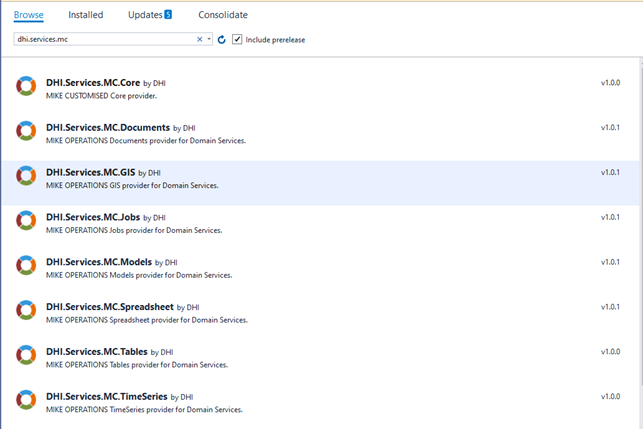
To use the web API, it is required that the NuGet associated WebAPI package is installed.
E.g. for spreadsheets, install: DHI.Services.Spreadsheets.WebAPI

The following sections shows samples using the endpoints of the repositories of the MC NuGet packages.
For more information about the Domain Services Web API, please refer to the section Domain Services on DHI Developers web site: https://dhi-developer-documentation.azurewebsites.net/
The MIKE Workbench Web API provides access to the following managers.
- Time Series Manager
- GIS Manager
- Spreadsheet Manager
- Job Manager (task and job repositories)
- Document Manager
Introduction
The MIKE WORKBENCH Web API closely follows the Web API.
Use Swagger (https://swagger.io) to get supported end points for the web site installed.
E.g. https://domainservices.dhigroup.com/swagger/index.html
The following section provides samples on using the API.
The following repository types are supported:
- Time Series
- GIS
- Spreadsheets
- Documents
- Worker
- Tasks
Time Series Repository
Connection
    "mc-timeseries": {
        "$type": "DHI.Services.TimeSeries.Web.GroupedDiscreteTimeSeriesServiceConnection, DHI.Services.TimeSeries.Web",
        "ConnectionString": "runtimeconfig=OperationsWeb;host=localhost;port=5432;database=Sava75",
        "RepositoryType": "DHI.Services.Provider.MC.TimeSeriesRepository, DHI.Services.Provider.MC",
        "Name": "MIKE WORKBENCH time series connection",
        "Id": "mc-timeseries"
    },
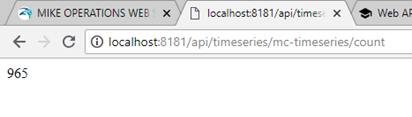
Time series count
Returns the number of time series in the time series manager of MIKE OPERATIONS.
http://localhost:8181/api/timeseries/mc-timeseries/count
List all time series
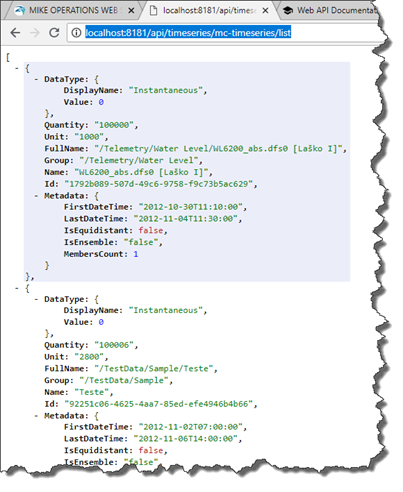
Gets a list of all time series in the time series manager of MIKE WORKBENCH.
http://localhost:8181/api/timeseries/mc-timeseries/list
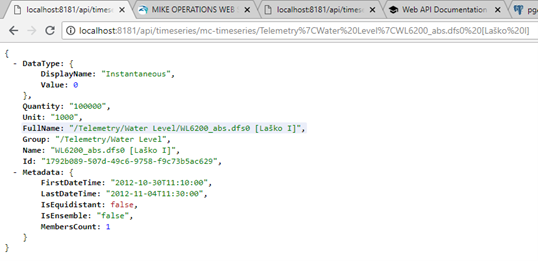
Get time series
Gets time series information for a single time series.
Note that in the path to the time series, slash / is replaced with |
http://localhost:8181/api/timeseries/mc-timeseries/Telemetry%7CWater%20Level%7CWL6200_abs.dfs0%20[La%C5%A1ko%20I]
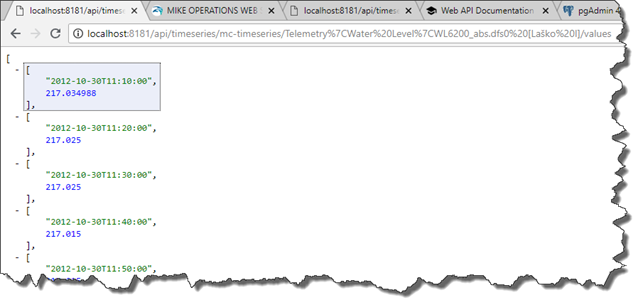
Get time series values
Gets all time series values of a time series.
http://localhost:8181/api/timeseries/mc-timeseries/Telemetry%7CWater%20Level%7CWL6200_abs.dfs0%20[La%C5%A1ko%20I]/values
GIS Repository
Connection
    "mc-gis": {
        "$type": "DHI.Services.GIS.Web.GroupedGisServiceConnection, DHI.Services.GIS.Web",
        "ConnectionString": "host=localhost;port=5432;database=Sava75",
        "RepositoryType": "DHI.Services.Provider.MC.GISRepository, DHI.Services.Provider.MC",
        "Name": "MIKE WORKBENCH gis connection",
        "Id": "mc-gis"
    },
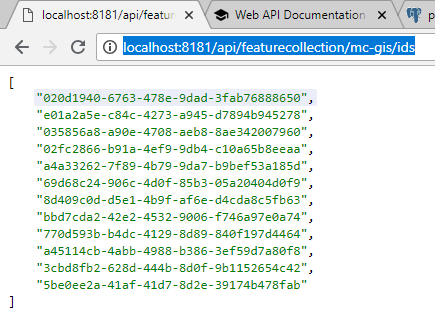
Get ids
Gets all ids of the feature classes in the GIS manager of MIKE OPERATIONS.
http://localhost:8181/api/featurecollection/mc-gis/ids
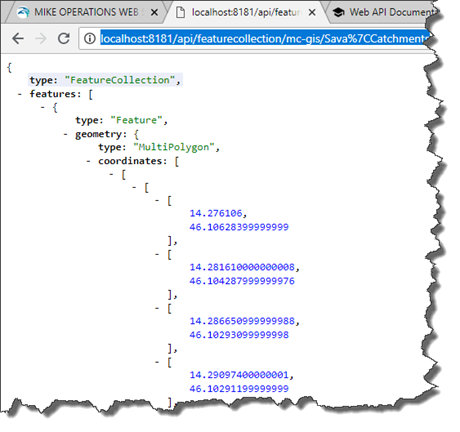
Get feature class
Get information about a single feature class from the full path of the feature class.
http://localhost:8181/api/featurecollection/mc-gis/Sava%7CCatchments
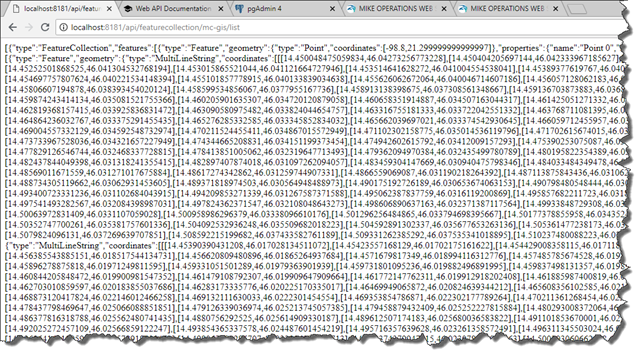
List all feature classes
Gets information about all feature classes in the GIS manager of MIKE OPERATIONS.
http://localhost:8181/api/featurecollection/mc-gis/list
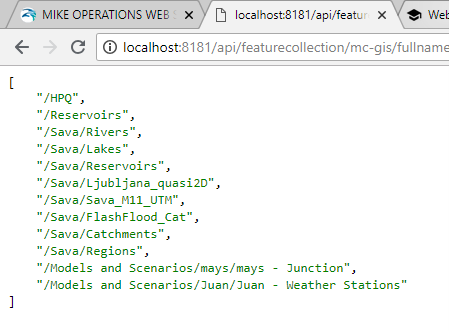
Get full names
Gets the full names of all feature classes in the GIS manager.
http://localhost:8181/api/featurecollection/mc-gis/fullnames
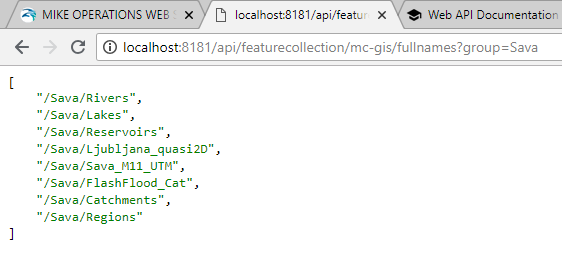
Get full names of group
Gets the full names of a specified group.
http://localhost:8181/api/featurecollection/mc-gis/fullnames?group=Sava
Spreadsheet Repository
Connection
    "mc-spreadsheet": {
        "$type": "DHI.Services.Spreadsheets.Web.SpreadsheetServiceConnection, DHI.Services.Spreadsheets.Web",
        "ConnectionString": "host=localhost;port=5432;database=Sava75",
        "RepositoryType": "DHI.Services.Provider.MC.SpreadsheetRepository, DHI.Services.Provider.MC",
        "Name": "MIKE WORKBENCH spreadsheet connection",
        "Id": "mc-spreadsheet"
    },
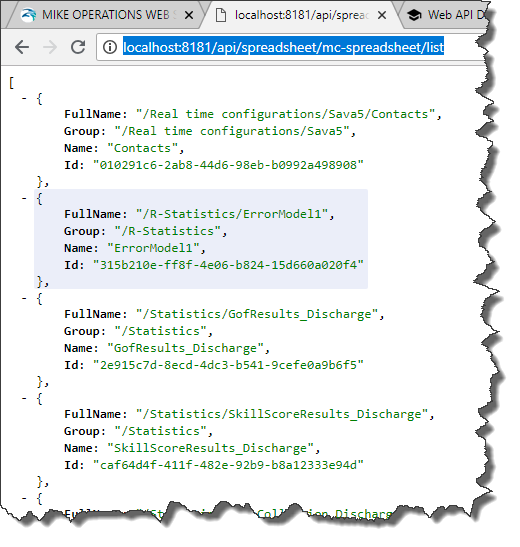
List spreadsheets
Gets a list of all spreadsheets in the spreadsheet manager of MIKE OPERATIONS.
http://localhost:8181/api/spreadsheet/mc-spreadsheet/list
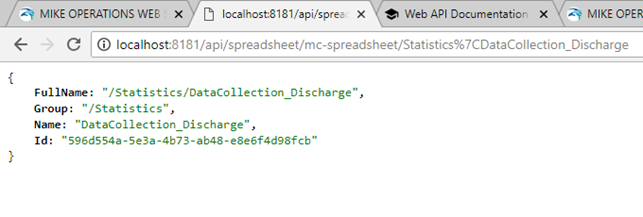
Get spreadsheet info
Gets information about a single spreadsheet.
http://localhost:8181/api/spreadsheet/mc-spreadsheet/Statistics%7CDataCollection_Discharge
Task Repository (job)
Version: 2.1
The task repository provides access to jobs in the job manager of MIKE OPERATIONS.
Connection
    "mc-task": {
        "$type": "DHI.Services.Jobs.Web.TaskServiceConnection, DHI.Services.Jobs.Web",
        "ConnectionString": "host=localhost;port=5432;database=Sava75",
        "RepositoryType": "DHI.Services.Provider.MC.TaskRepository, DHI.Services.Provider.MC",
        "Name": "MIKE OPERATIONS task connection",
        "Id": "mc-task"
    }
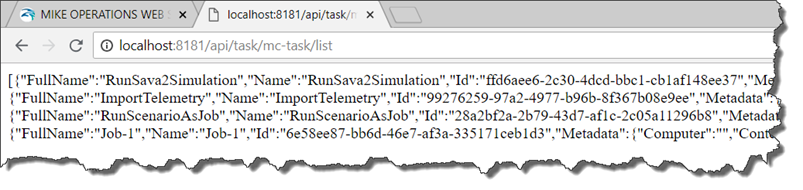
Get tasks
Gets all jobs in the job manager of MIKE OPERATIONS.
http://localhost:8181/api/task/mc-task/list
Job Repository (Job Instance)
Version: 2.1 The job repository provides access to job instances of a job in the job manager of MIKE OPERATIONS.
Connection
    "mc-job": {
        "$type": "DHI.Services.Jobs.Web.JobServiceConnection, DHI.Services.Jobs.Web",
        "JobRepositoryConnectionString": "host=localhost;port=5432;database=Sava75",
        "JobRepositoryType": "DHI.Services.Provider.MC.JobRepository, DHI.Services.Provider.MC",
        "TaskRepositoryConnectionString": "host=localhost;port=5432;database=Sava75",
        "TaskRepositoryType": "DHI.Services.Provider.MC.TaskRepository, DHI.Services.Provider.MC",
        "Name": "MIKE OPERATIONS job connection",
        "Id": "mc-job"
    },
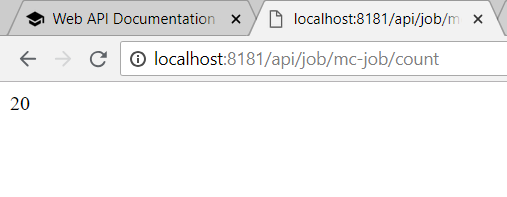
Count jobs (job instances)
Counts the number of job instances in the job manager.
http://localhost:8181/api/job/mc-job/count
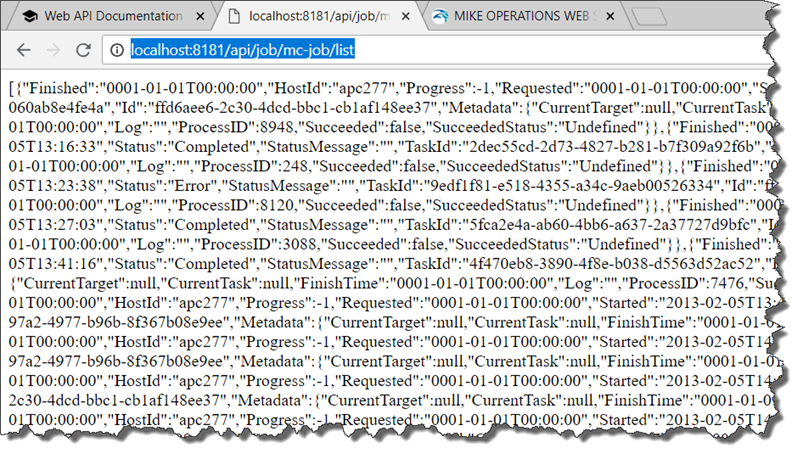
Get all jobs (job instance)
Gets all job instances in the job manager of MIKE OPERATIONS.
http://localhost:8181/api/job/mc-job/list
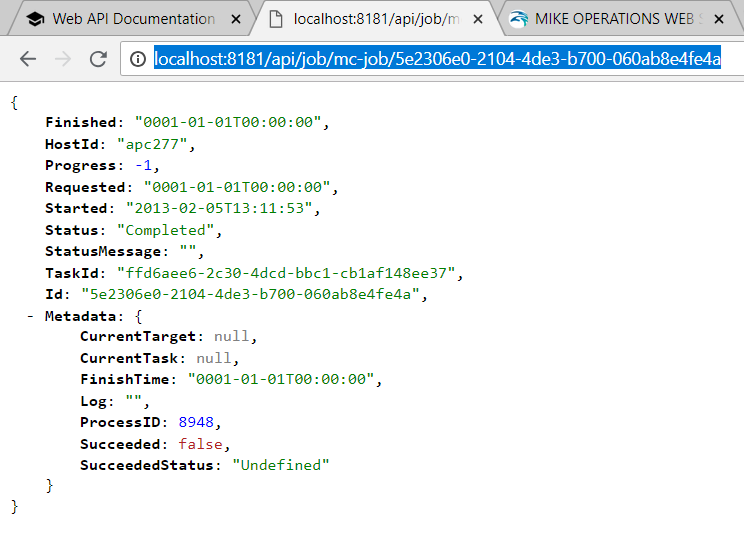
Get job (job instance)
Gets a single job instance in the job manager from the id of the job instance.
http://localhost:8181/api/job/mc-job/5e2306e0-2104-4de3-b700-060ab8e4fe4a
Making queries
The Job repository supports making queries.
The following query parameters are support:
- Task
The id of the task (id of the job in the job manager) from the Task Repository.
- Since
Date and time from where the job instance should be retrieved.
Job Manager: ExecutedAt of the job instance is checked.
- Status
The status of the job instance. The following status types are supported.
- Pending
Job Manager: NotStarted
- InProgress
Job Manager: Running
- Completed
Job Manager: FinishedSuccess, FinishedError, FinishedUnknown, Terminated
- Error
Job Manager: FinishedError
- Unknown
Job Manager: FinishedUnknown
http://localhost:8181/api/job/mc-job/list?status=InProgress
http://localhost:8181/api/job/mc-job/list?since=2014-02-15T220000

Document Repository
The document repository provides access to documents in the documents manager of MIKE OPERATIONS.
Connection
    "mc-doc": {
        "$type": "DHI.Services.Documents.Web.DocumentServiceConnection, DHI.Services.Documents.Web",
        "ConnectionString": "host=localhost;port=5432;database=Sava75",
        "RepositoryType": "DHI.Services.Provider.MC.DocumentRepository, DHI.Services.Provider.MC",
        "Name": "MIKE OPERATIONS document connection",
        "Id": "mc-doc"
    },
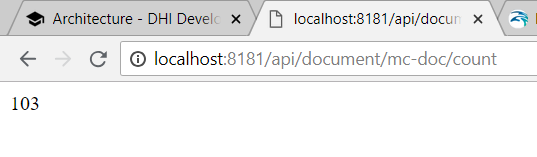
Count
Gets the number of documents in the document manager.
http://localhost:8181/api/document/mc-doc/count
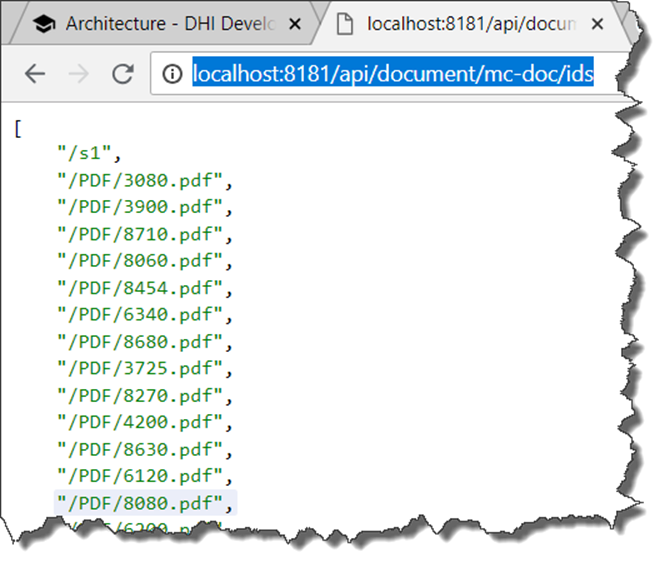
Get ids
Gets the full paths of all documents of the document manager.
http://localhost:8181/api/document/mc-doc/ids
Get document
Gets the document stream from the full path of the document in the document manager.
http://localhost:8181/api/document/mc-doc/PDF|3080.pdf
Table Repository
Version: 10.1
The TableRepository allows querying the MIKE OPERATIONS database directly. The URL are converted to SQL queries executed directly on the database.
Note
Note that the TableRepository currently only supports PostgreSQL databases.
Connection
Add the following section to the connections.json file, changing the connections string specifying host, database etc.
    "mc-table": {
        "$type": "DHI.Services.Tables.Web.TableServiceConnection, DHI.Services.Tables.Web",
        "ConnectionString": "runtimeconfig=OperationsWeb;host=localhost;port=5432;database=Sava93;refreshinterval=0",
        "RepositoryType": "DHI.Services.Provider.MC.TableRepository, DHI.Services.Provider.MC",
        "Name": "MIKE WORKBENCH table connection",
        "Id": "mc-table"
    },
Table Count
Gets the number of tables in the workspace (default workspace1) of the connection.
http://localhost:8181/api/table/mc-table/count
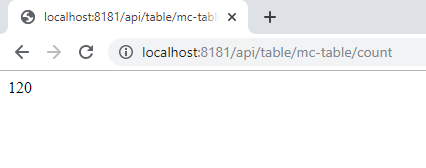
Table Names
List all tables in the database specified by the connection. Default schema is workspace1.
http://localhost:8181/api/table/mc-table/ids
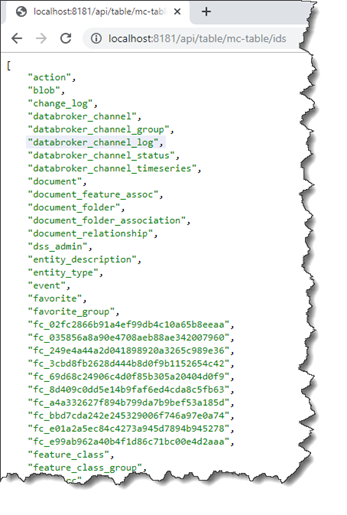
Table Columns
To get column information available for a table specify the table name.
http://localhost:8181/api/table/mc-table/<table name>
The column information contains information about column name and column type.
E.g http://localhost:8181/api/table/mc-table/time_series
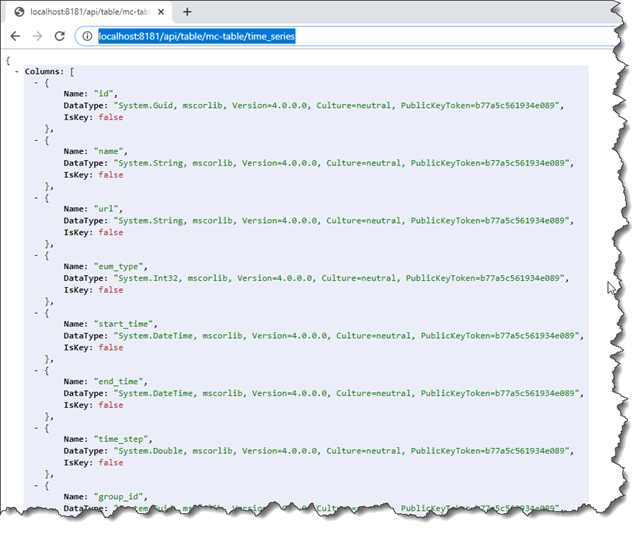
Table data
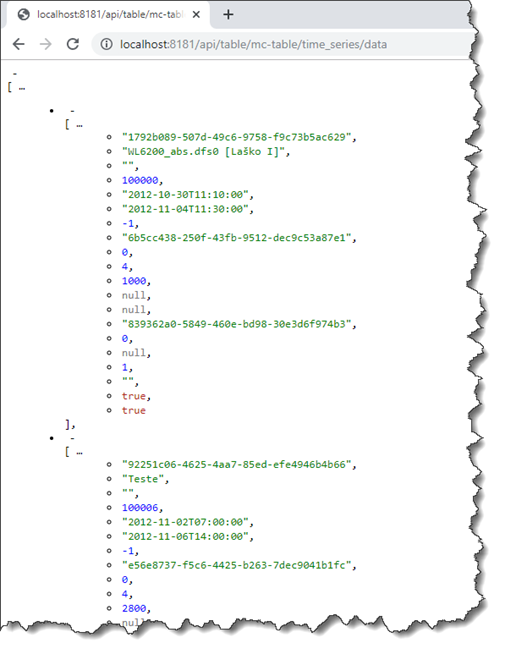
To get data of a table, extend the call to get column information with data.
To get every row in the table use:
http://localhost:8181/api/table/mc-table/<table name>/data
E.g. http://localhost:8181/api/table/mc-table/time_series/data
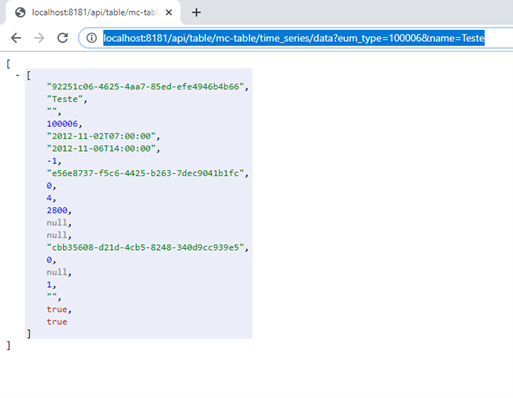
To get a subset of the table, specify parameters after data using ?<column_name=<value>.
Note that column name id is a reserved keyword. Use entityid instead of id for columns named id.
E.g. http://localhost:8181/api/table/mc-table/time_series/data?eum_type=100006&name=Teste
When querying the change_log table
When querying the change_log table, use the following type of call:
http://localhost:8181/api /table/mc-table/change_log/data?<entity type>=<entity id>
E.g. http://localhost:8181/api/table/mc-table/change_log/data?Time Series=92251c06-4625-4aa7-85ed-efe4946b4b66
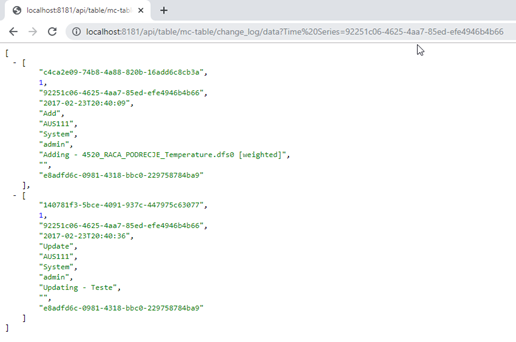
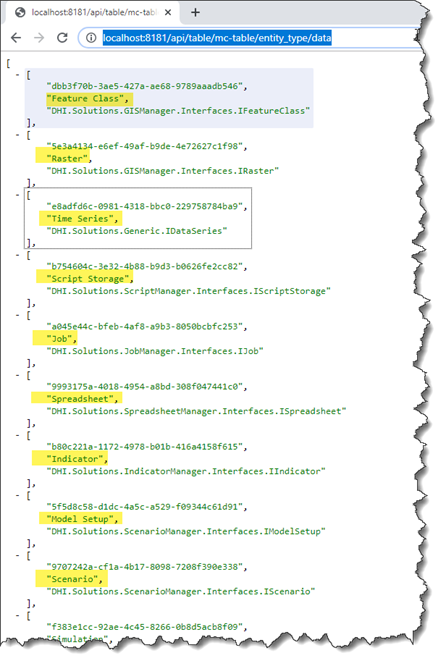
Entity types supported can be found in the entity_type table.
Use http://localhost:8181/api/table/mc-table/entity_type/data