MIKE1D Adapter
The MIKE1D adapter enables use of MIKE1D (or MIKE URBAN Classic) model setups within the MIKE WORKBENCH.
Limitations
-
m1dx-file must be in the root folder of the setup.
-
All files in the directory structure from the root folder and down including hotstart files (except result files) are zipped during registration, so reduce the size of data files and remove unnecessary files.
Model objects
The below list of model objects can be derived from a MIKE1D setup.
- Basin
- Parameters:
- Name
- Invert level
- Terrain level
- Volume
- Volume variation
- Node location
- Parameters:
- Block calibration data
- Parameters:
- Flow max
- Flow min
- Objective value
- Objective value static
- Delay static
- Calibration active
- Block data name
- Time series path
- Parameters:
- Block data
- Parameters:
- Name
- Calculation model
- Overflow penalty
- Area
- Lower chainage
- Upper chainage
- Delay
- Delay unit
- Upper location
- Lower location
- Half life time
- Parameters:
- Catchment
- Parameters:
- Name
- Parameters:
- Catchment input
- Parameters:
- Name
- Type
- Parameters:
- Controlled link data
- Parameters:
- Outflow data name
- Inflow data name
- Parameters:
- Flow data
- Parameters:
- Name
- Time series scaling factor
- MPC controlled
- Linked
- Distribution type
- Location
- Delay
- Time series path
- Parameters:
- Forcing constraint data
- Parameters
- Bound value
- Bound
- Flow data name
- Time series path
- Parameters
- Forcing change penalty data
- Parameters
- Penalty
- Flow data name
- Parameters
- Initial state data
- Parameters:
- Initial value
- Reservoir name
- Time series path
- Parameters:
- Gate
- Parameters:
- Name
- From node
- To node
- Control type
- Parameters:
- Manhole
- Parameters:
- Diameter
- Invert level
- Name
- Node location
- Terrain level
- Parameters:
- MPC configuration
- Parameters:
- Name
- Time step
- Forcing penalty
- Ensemble size
- Optimisation method
- Soft constraints
- Parameters:
- MPC scenario
- Parameters:
- Scenario Id
- From node
- To node
- Real time
- Prediction horizon
- Time step
- Parameters:
- Output constraint data
- Parameters:
- Bound value
- Bound
- Violation penalty
- Block data name
- Time series path
- Parameters:
- Outlet
- Parameters:
- Constant water level
- Name
- Node location
- Terrain level
- Parameters:
- Regulation curve
- Parameters:
- Name
- Type
- Description
- Curve
- Parameters:
- Target data
- Parameters:
- Target value
- Penalty value
- Block data name
- Flow data name
- Target time series Id
- Parameters:
- Weir
- Parameters:
- Control type
- From node
- Name
- To node
- Parameters:
- Pump
- Parameters:
- Capacity curve
- Constant flow
- Control type
- Enabled
- From node
- Name
- Start level
- Stop level
- To node
- Type
- Parameters:
- Uncontrolled link data
- Parameters:
- Outflow block data name
- Inflow data name
- Parameters:
- Valve
- Parameters:
- Name
- From node
- To node
- Control type
- Parameters:
- Link
- Parameters:
- Diameter
- From node
- Height
- Name
- To node
- Type
- Width
- Parameters:
Configuration
An optional launch command for running the model can be specified.
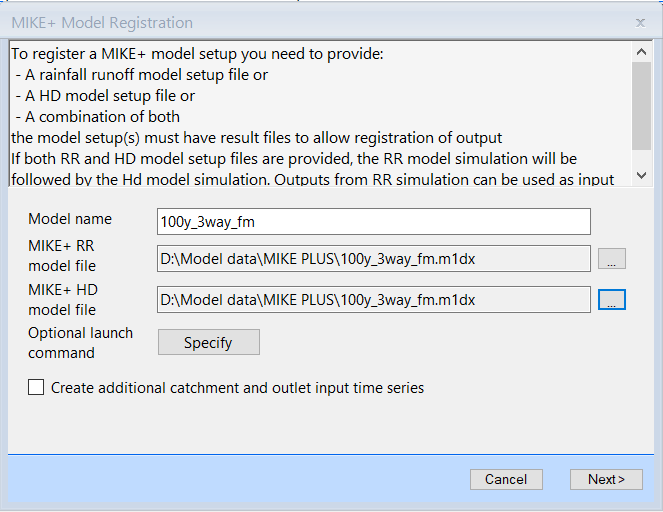
If no launch command is specified, the adapter runs the MIKE1D engine to do a simulation.
Click Specify button, the Modify Run Settings dialog is shown.
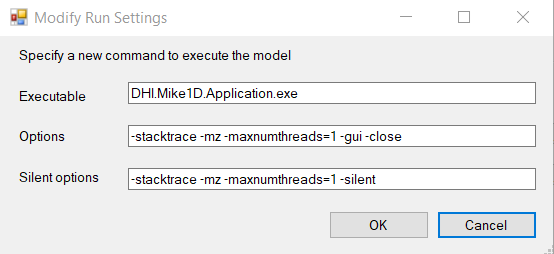
Click OK button, the launch command is specified in the MIKE+ Model Registration dialog.
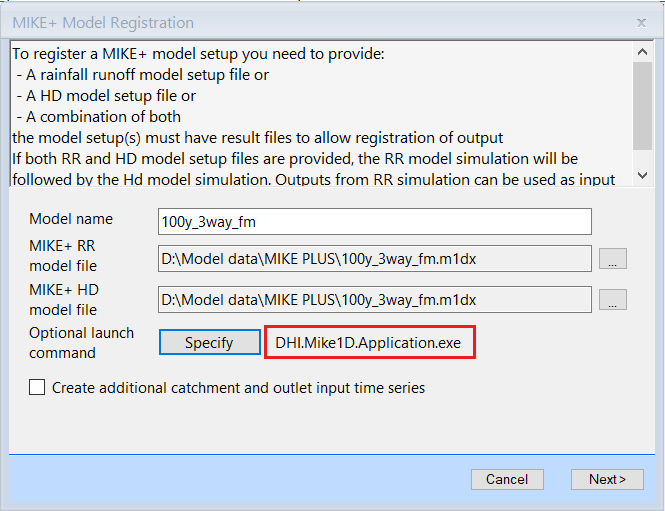
The MIKE+ adapter runs a user defined launch command if specified.
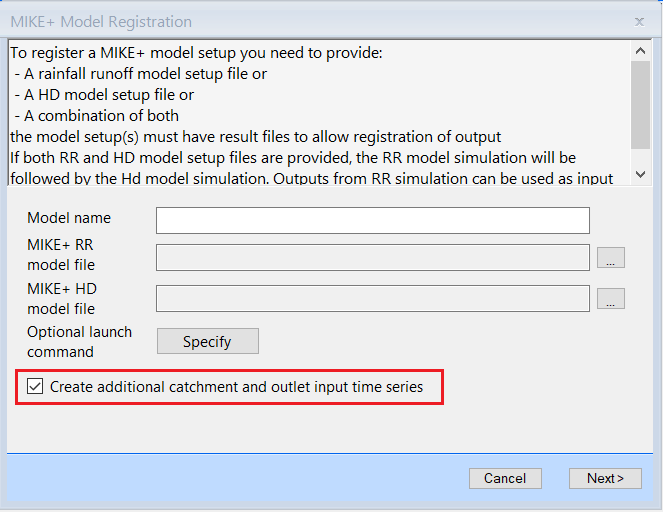
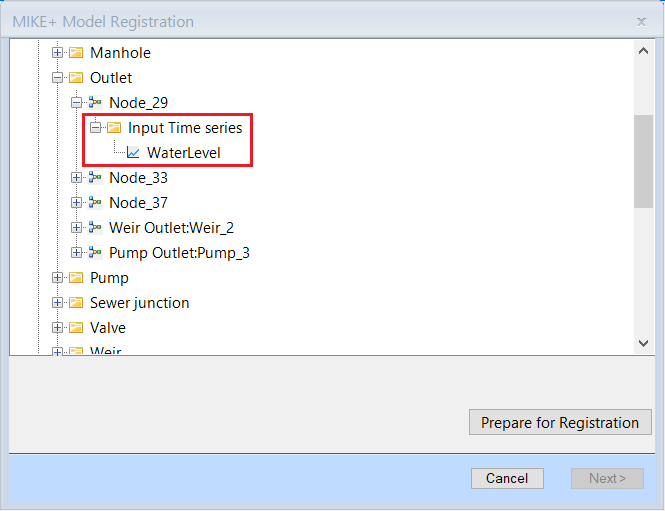
While registering the model, if outlets or catchments exist but no input time series is defined for them, some empty time series will be created as a placeholder when the Create additional catchment and outlet input time series is checked at registration.