MIKE HYDRO River Adapter
The MIKE HYDRO River adapter enables use of MIKE HYDRO River model setups within the MIKE WORKBENCH. The adapter supports the Rainfall-Runoff model specified in the Catchment definitions. AD boundary conditions and AD initial conditions are supported as well.
As all adapters, the MIKE HYDRO River adapter supports setting of editable model parameters via the user interface and via a spreadsheet. It is also possible to define ensembles of parameters in the spreadsheet.
It can take advantage of a multi-core machine and execute different runs of an ensemble simulation simultaneously in order to speed up ensemble model runs.
Limitations
-
mhydro-file must be in the root folder of the setup
-
All files in the directory structure from the root folder and down including hotstart files (except result files) are zipped during registration, so reduce the size of data files and remove unnecessary files
Model objects
The below list of model objects can be derived from a MIKE HYDRO River setup. Input and output timeseries are associated to corresponding model objects.
- Branch
- Parameters:
- Name
- Start chainage
- End chainage
- Flow direction
- Down stream
- Downstream branch name
- Downstream chainage
- Up stream
- Upstream branch name
- Upstream chainage
- Parameters:
- CrossSection
- Parameters:
- Name
- Branch name
- Chainage
- Left levee bank
- Right levee bank
- Lowest point
- Parameters:
- Catchment
- Parameters:
- Name
- Parameters:
- CalculationPoint
- Parameters:
- Branch name
- Chainage
- Type
- Parameters:
- Structure
- Parameters:
- Name
- Type
- Location
- River
- Chainage
- Parameters:
- ADInitialCondition
- Parameters:
- Name
- Branch name
- Chainage
- Component name
- Initial concentration (editable)
- Global
- Parameters:
- DataAssimilation
- Parameters:
- Name
- Parameters:
- Storage
- Parameters:
- Name
- Parameters:
- Boundary
- Parameters:
- Name
- Boundary type (HD, AD, ST)
- Input type (Constant, Time varying)
- Constant value (editable)
- Parameters:
Configuration
The MIKE HYDRO River adapter runs a user defined launch command if specified.
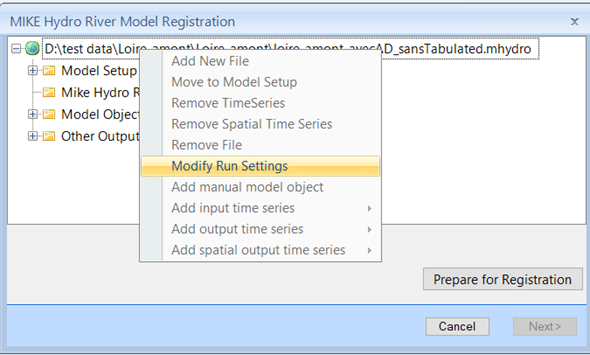
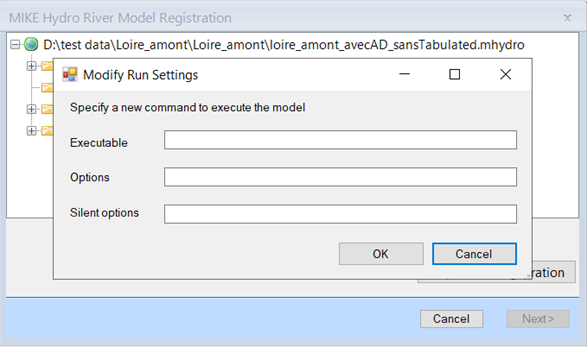
If no launch command is specified, the adapter runs the MIKE 1D engine
if no NAM model is specified. In case a NAM model is specified, it uses
the DHI.MHydro.Application.exe to run the model.
Hotstart functionality for the Rainfall-Runoff model is supported. HD initial conditions and AD initial conditions using hotstart files are also supported.