IIS Deployment
The MIKE OPERATIONS Web comes bundled with the DHI WebAPI. This means that by default the web services are accessed at the same url as the web site.
This can be changed in the configuration
-
Prior to installing the WebAPI and MIKE OPERATIONS web site, the Internet Information Services must be enabled on the computer
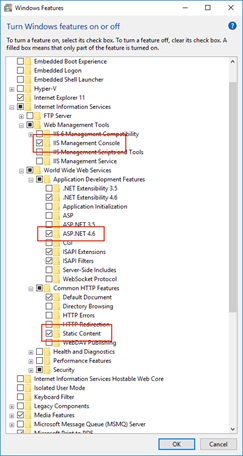
- Windows 10: In Programs & Features select Turn Windows feature on or off and make a selection as shown below
- Windows Server 2019: Open the Server Manager
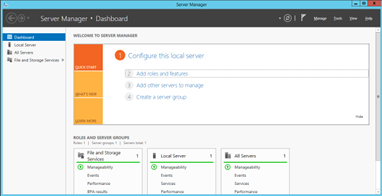
Click Add roles and feature and continue clicking next until you get to the Server Roles. Select Web Server (IIS)
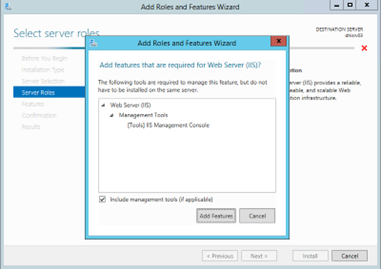
And press Add Features. Under the Features Selection, expand .NET Framework 4.7 Features and select ASP.NET 4.7
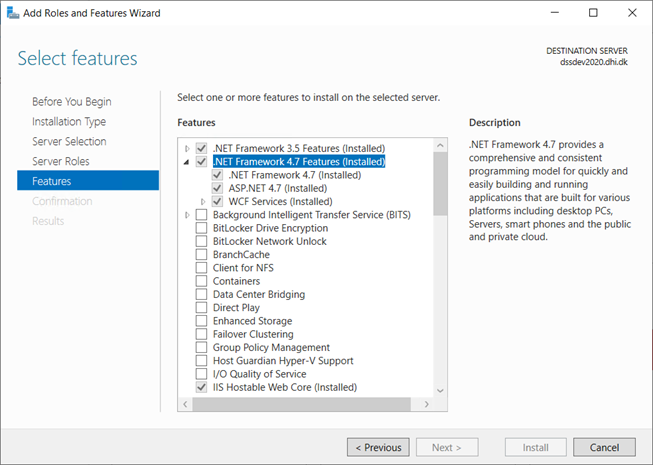
Press next and finish the installation
- Windows 10: In Programs & Features select Turn Windows feature on or off and make a selection as shown below
-
Unzip the file found at the same location as this document to
C:\inetpub\wwwroot\MOWeb - Open the Internet Information Services and expand the tree in the left hand side.
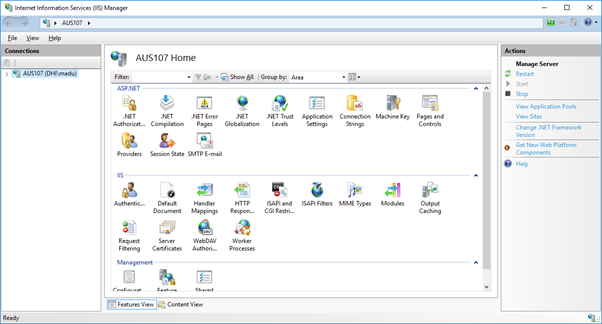
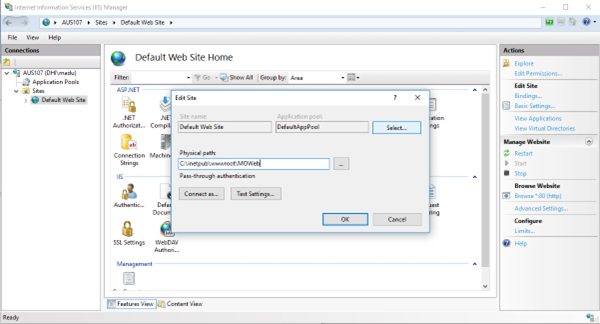
- Click the Default Web Site, press Basic Settings in the right hand side and modify the Physical path to be the location where you unzipped the site
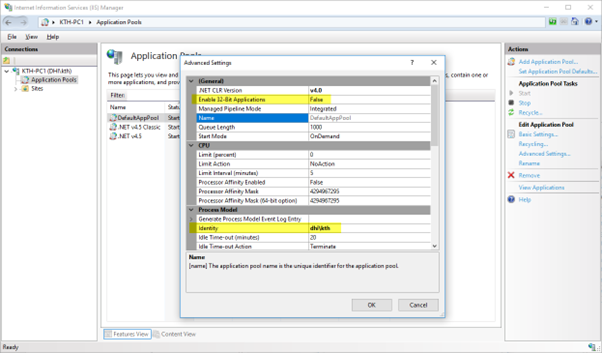
- Select Application Pools, select the DefaultAppPool choose Advanced Settings.
In there ensure Enable 32-Bit Applications is set to false and modify the Identity selecting an existing administrator on the machine.
- Edit the App_Data\connections.json and under the three locations where it says ConnectionString, modify the text and specify the correct database.
The syntax is
keyword1=value1;keyword2=value2. Possible keywords are: host (default: localhost), database (no default), userName (default: admin), password (default: dssadmin), workspace (default: workspace1)
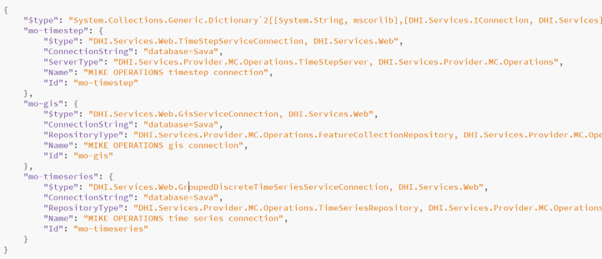
In general when the connections.json file is changed, it is imperative that the web server is restarted to pick up the changes. This is done either through the IIS where the Application Pool is restarted, but modifying the web.config file effectively changing its file modified stamp or creating and removing a file in the bin folder. - Modify security for the
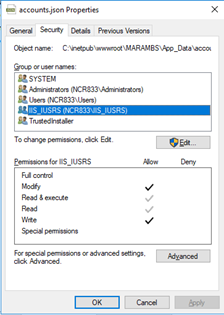
App_Data\accounts.jsonfile and allow IIS_IUSRS to Modify the file
- If forgot password functionality needs to be enabled for a MIKE OPERATIONS website, then make sure below mentioned settings are present in
web.configfile.
Note
Note: change <website address> below to the actual website address before saving the web.config file.
</applicationSettings>
</DHI.Services.Web.Properties.Settings>
      <setting name="SmtpHost" serializeAs="String">
            <value>smtpserv.dhi.dk</value>
      </setting>
      <setting name="PasswordResetUri" serializeAs="String">
            <value>http://<website address>/</value>
      </setting>
</DHI.Services.Web.Properties.Settings>
</applicationSettings>